Parameter & URL Targeting
In short
NOTE:
Since December 2023, the parameters and URL targeting forms no longer exist in this form. However, you can still use the functions described here. What exactly has changed and links to the corresponding documentation can be found here.
NEW Testing parameters
With the "Parameter" setting, it was possible to call up a created variant via a special parameter without the variant being visible to users.
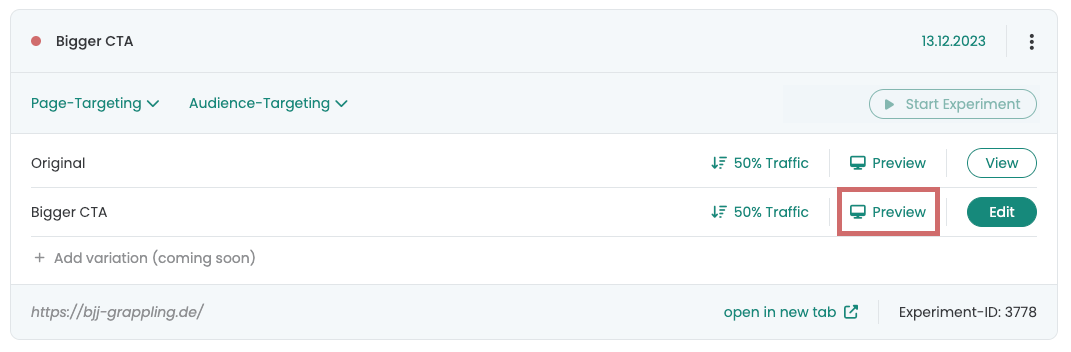
You will now find this function in the line of the corresponding variant in your dashboard. Simply click on "Preview" to display the variant, even if the experiment has not yet started.
In the URL that is opened, you can see a parameter that is appended. You can also append this manually to other URLs, as with the former parameter function. (e.g. ?varify-preview=1234-variation-1)
Parameters & URL targeting before December 2023
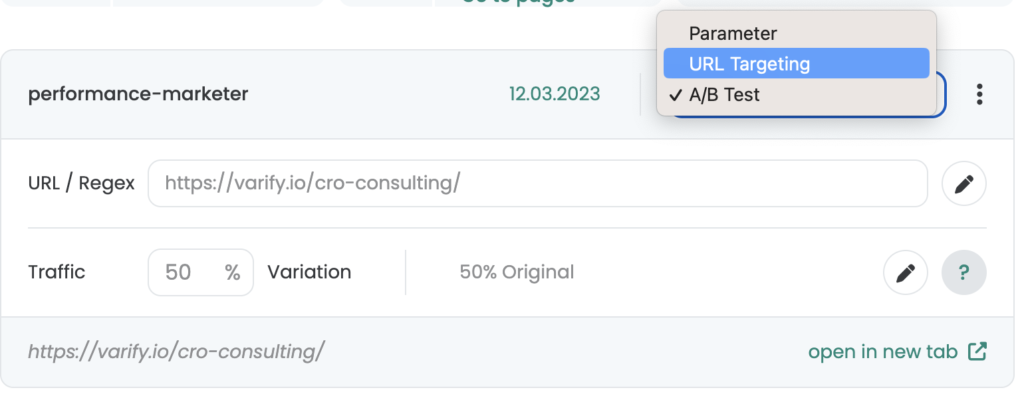
With the targeting settings you define when your visitors should see the created variant. Varify.io® offers you a total of 3 targeting options:
- parameters.
- URL Targeting
- A/B test
How to use the function
parameters.
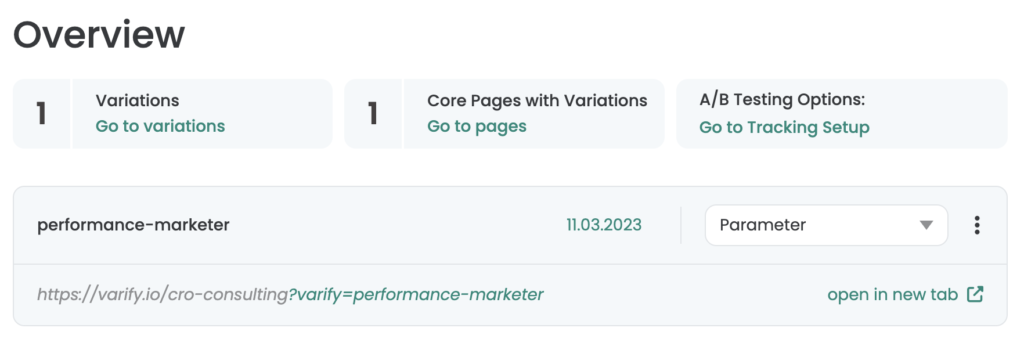
With parameter targeting, the created variant is called up with the help of a URL parameter. This means that if a web page is called up with a URL parameter, then the variant is displayed. If the parameter is not explicitly located at the URL, then the variant is not called.
Parameter targeting is suitable for quality assurance and for acceptance of your variant and for your use in performance marketing campaigns such as Google Ads, Facebook Ads, email marketing, and many more. - In other words, whenever you can influence the target URL of your marketing campaigns.
Use case examples
Quality Assurance & Acceptance: Open the variant using the URL parameter. Just click on "open in new tab". Only you and people you send the URL to with the varify parameter will see the variant. For example, you can share the variant link with the stakeholders of your project and have them vote or approve it internally.
Google Ads: You use multiple traffic campaigns for the different search queries to pick up your visitors in the best possible way based on their intentions through the ads as well.
However, these ads all redirect to the same landing page. Use varify.io® to create matching landing page variants to pick up your visitors relevant to their search query.
Facebook Ads: Target different user groups on Facebook based on their interests or socio-demographic characteristics. Use this additional information and integrate it as a corresponding landing page variant. In this way, you can pick up each target group according to their needs and values.
URL Targeting & A/B Test
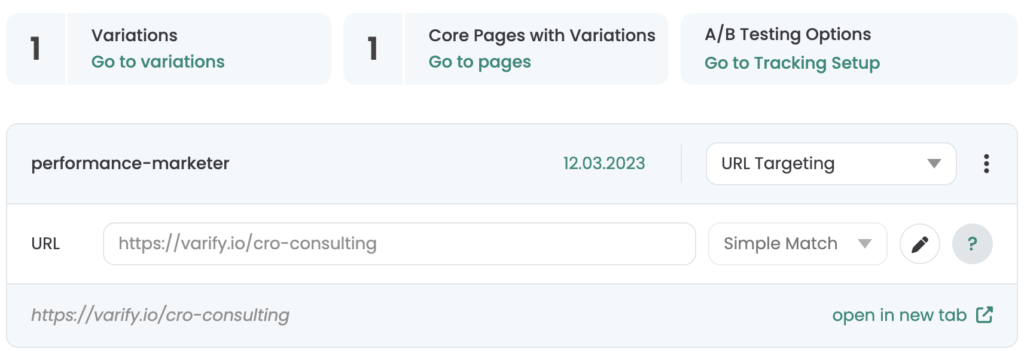
With URL targeting, you can also call up your variants without URL parameters. In the URL input field, you have the option of entering the URL of the corresponding website on which the variant is to be displayed. Select for this Simple Match off. You also have the option to target multiple pages, such as page types. The Regex option is available for this purpose.
Exact Match
Use the targeting type Exact Match, if the targeting is explicit only for a specific URL -. without URL parameter - should apply.
In the following example, you can see the versions of a URL that are used in the Exact Match targeting for the URL www.demo.de apply:
| URL | Targeting applies |
|---|---|
| www.demo.de | applies |
| www.demo.de/ | does not apply |
| www.demo.de#about | does not apply |
| www.demo.de?color=red | does not apply |
| www.demo.de/category | does not apply |
| www.demo.com | does not apply |
| sub.demo.com | does not apply |
Simple Match
With Simple Match, all URLs are targeted, including the associated URL parameters.
In the following example, you can see the versions of a URL that are used in the Simple Match targeting for the URL www.demo.de apply:
| URL | Targeting applies |
|---|---|
| www.demo.de | applies |
| www.demo.de#about | applies |
| www.demo.de?color=red | applies |
| www.demo.de/category | does not apply |
| www.demo.com | does not apply |
| sub.demo.com | does not apply |
If you want to target multiple pages, page types or subdomains at the same time, you have the option Regex. Just read on.
Contains
You use the "Contains" targeting type when you want to target multiple pages of a certain group. For example, if you want to run a test only on product pages, you could use "contains" with "/products/" to target only those pages. The full specified expression must appear in the URL at least once in its entirety.
In the following example you can see different versions of URLs where the targeting "/products/" applies.
| URL | Targeting applies |
|---|---|
| www.demo.de | does not apply |
| www.demo.de/produkte | does not apply |
| www.demo.de/produkte/t-shirts | applies |
| www.demo.de/produkte/hosen | applies |
| www.demo.de/blog/produkte-reviews | does not apply |
| www.demo.de/blog/produkte/tests | applies |
Regular Expressions (Regex)
At Varify.io®, we use Regular Expressions to allow you to test your A/B for specific individual pages or page groups to target.
We created this URL targeting guide to help you get started with regex. In many cases, it's enough to copy one of our examples and replace your own URL. To validate your regular expressions you can use regex editors like regexr.com.
Example of creating a regex
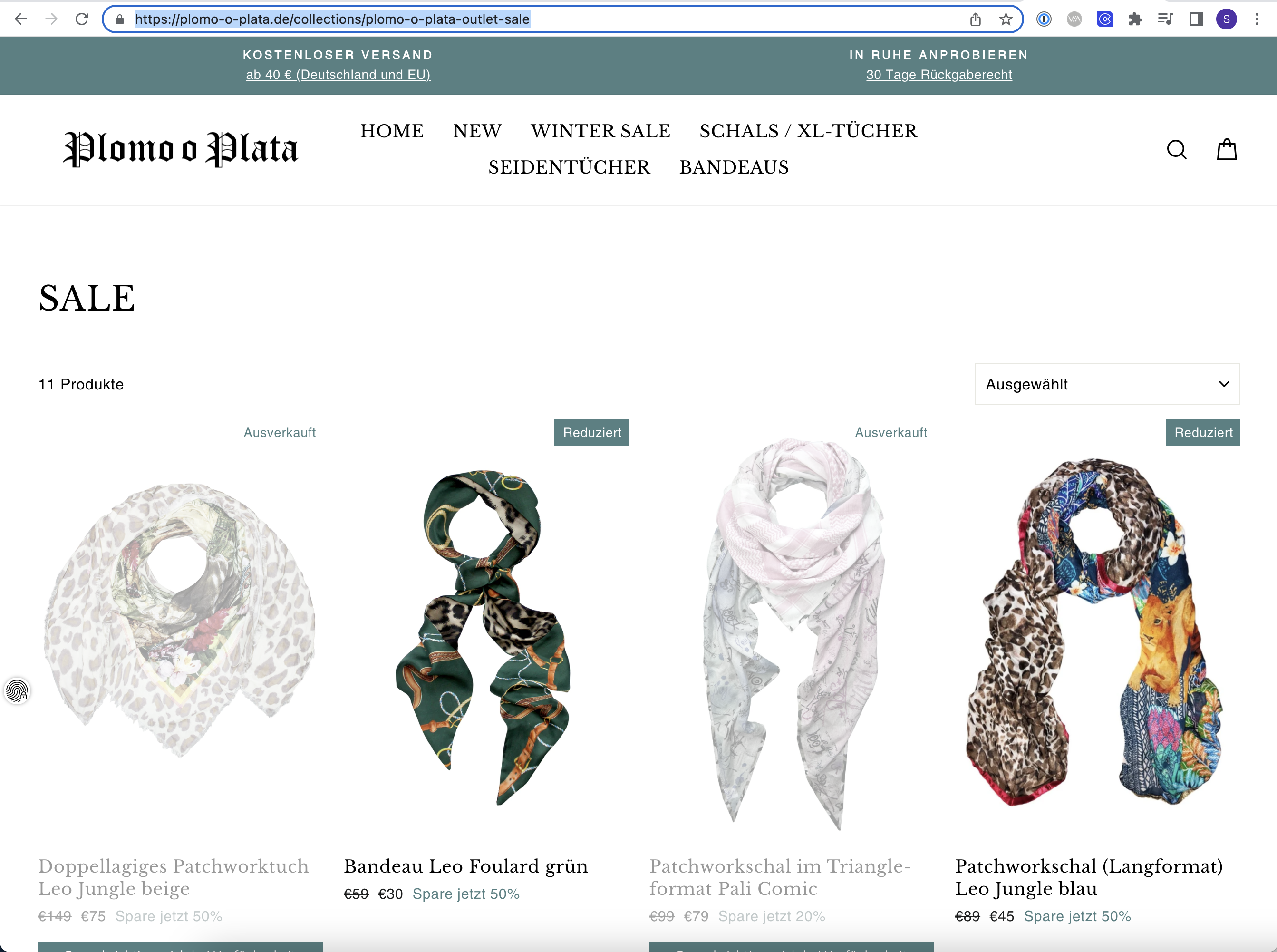
On Plomo-o-Plata on all product detail pages in the category Outlet Sale the sales prices will be displayed in red. Product detail pages in other categories should remain unchanged.
By using regex in URL targeting you have the possibility to explicitly map this targeting condition.
As an example, here you can see a URL that is located in the Outlet Sale category.
The structure of the URLs is the same for all product detail pages that can be found in this category:
https://plomo-o-plata.de/collections/plomo-o-plata-outlet-sale/products/…
In the table Useful use cases you will find predefined regexes that you can apply to your website URL structure using this example. In our case, use case 3 applies.
-> Targeting of all pages that are www.demo.de/category/ after the path.
-> ^.*www.demo.de/category/.+
First, we go to https://regexr.com/ and transfer the similar use case.
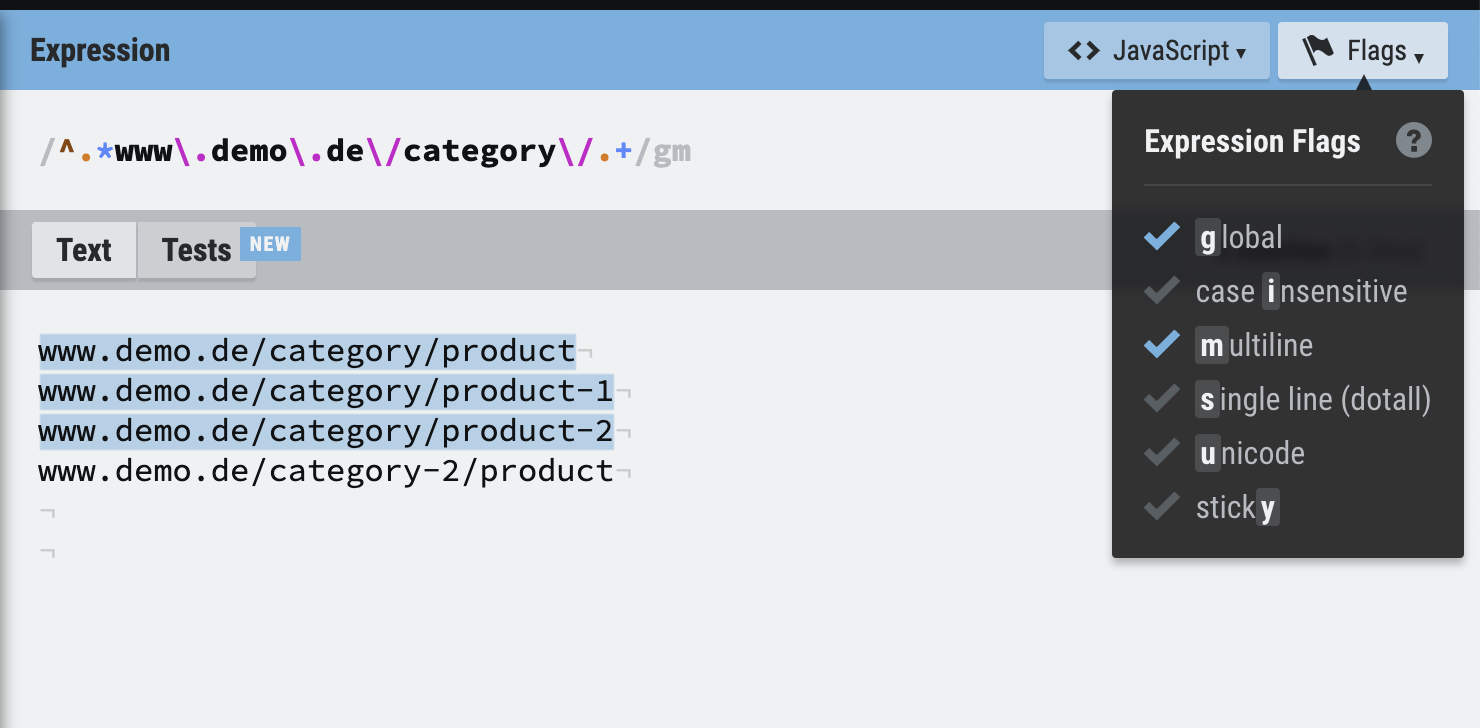
We can now use this use case as a guide, and apply it to our example of Plomo-o-Plata.
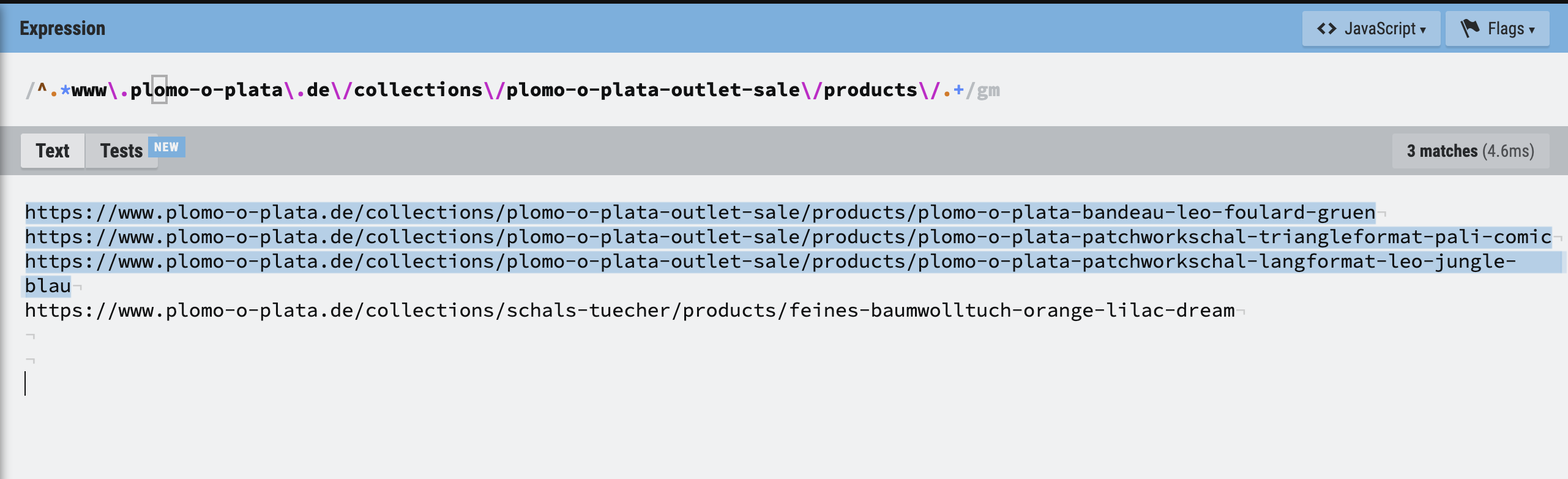 In the screenshot you can see how we customized the regex to our use case. Since the URL of Plomo-o-Plata had two more directories than the use case, they were added analogously to the use case example. Another very useful tool to define regex is: https://www.autoregex.xyz/ Here you can define in English which page types should be targeted. The tool converts this specification into a regex.
Useful use cases
| Use case | Example page | Regular Expression |
|---|---|---|
| Targeting exactly one page | www.demo.de/product-list | ^.*www.demo.de/product-list$ |
| Targeting exactly one page incl. anchor links, parameters, and optional "/" | www.demo.de/?utm_source=google_cpc | ^.www.demo.de(#.|/#.|$|/$|/?.) |
| Targeting of all pages hung in the path www.demo.de/category/ | www.demo.de/category/product | ^.*www.demo.de/category/.+ |
| Global targeting of a page without “www.“ | demo.de/ | ^.demo.de/. |
| Global targeting on the entire domain www.demo.de/ | www.demo.de/ | ^.www.demo.de/. |
| Targeting on a subdomain blog.demo.de/ | blog.demo.de/category/article | ^.*blog.demo.de/. |
| Targeting on an entire domain incl. subdomains demo.de/ | blog.demo.de/category/article www.demo.de/category/product | ^..demo.de/. |
| Targeting on two specific product categories | www.demo.de/shirts/product www.demo.de/pants/product | ^.www.demo.de/(shirts|pants)/. |