Activity Log
Table of contents
In short
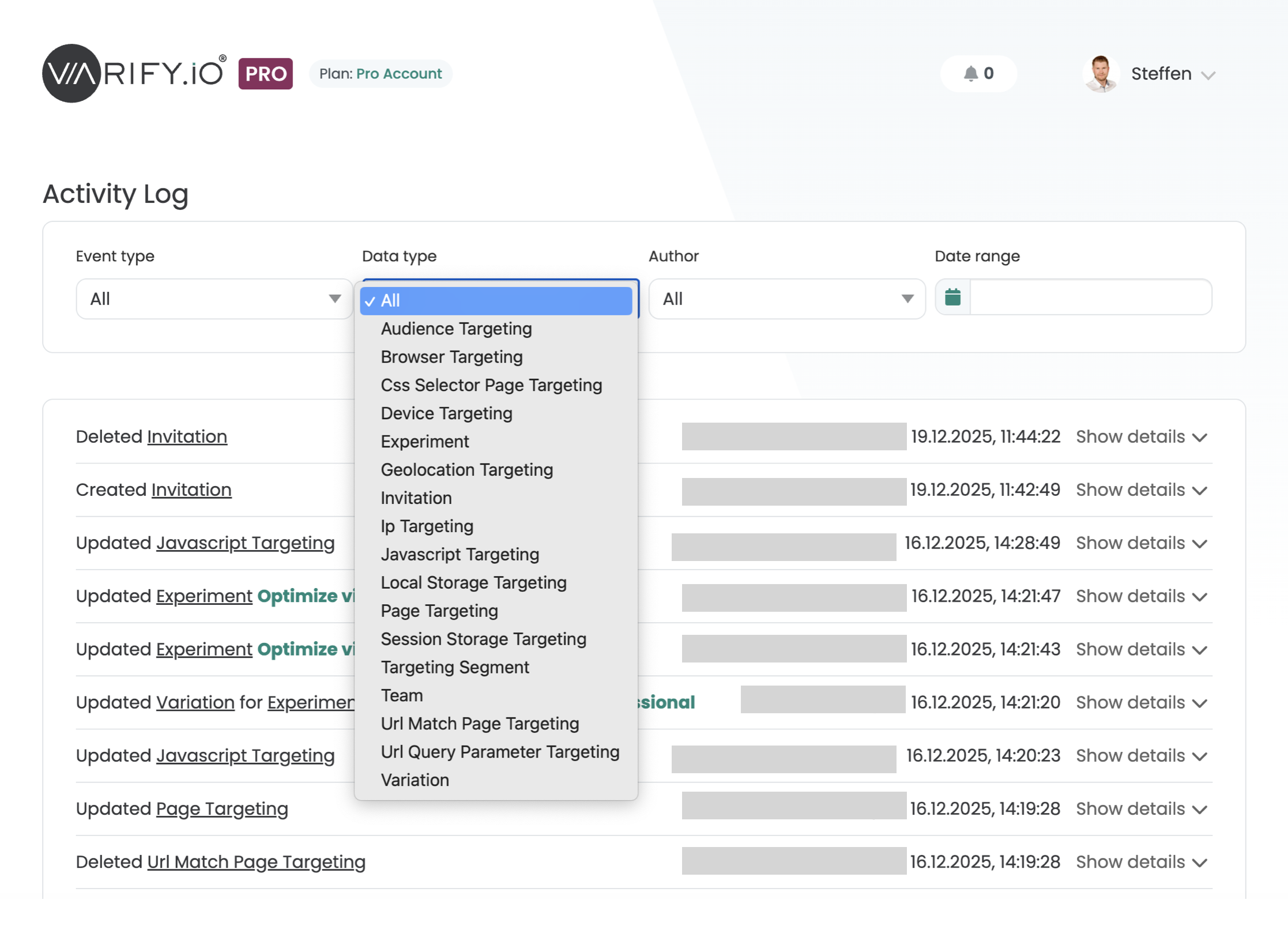
The activity log allows the account owner and authorized users to track changes made to the account, such as the creation or modification of experiments. This feature ensures transparency and makes it easy to monitor activities within the platform.
Traceable activities
The following activities can be tracked using the activity log:
| Event | Description |
|---|---|
| Audience Targeting | Changes to the target group approach. |
| Browser targeting | Adjustments to targeting based on browsers. |
| CSS Selector Page Targeting | Changes in the target group approach through CSS selectors. |
| Device targeting | Adjustments to the targeting of devices. |
| Experiment | Creation, editing, and deletion of experiments, including Experiment JavaScript and Experiment CSS. |
| Geolocation targeting | Changes in targeting based on location. |
| Global JavaScript | Changes to the global JavaScript. |
| Global Tracking JavaScript | Changes to the global tracking JavaScript. |
| Invitation | Management and processing of invitations. |
| IP targeting | Changes in targeting based on IP address. |
| JavaScript targeting | Adjustments to target group addressing via JavaScript. |
| Local Storage Targeting | Changes in targeting through local storage. |
| Page targeting | Target group addressing based on page views. |
| Session Storage Targeting | Adjustments to the target group approach via session storage. |
| Targeting segment | Changes to target group segments. |
| Team | Changes in the team administration. |
| URL Match Page Targeting | Adjustments to target group addressing based on URLs. |
| URL query parameter targeting | Target group addressing based on URL query parameters. |
| Variation | Changes to variations and their settings, including changes made in the visual editor and the JavaScript and CSS of a variation. |
This feature ensures complete transparency and allows you to track all relevant changes in the system.