Protection against session hijacking
In short
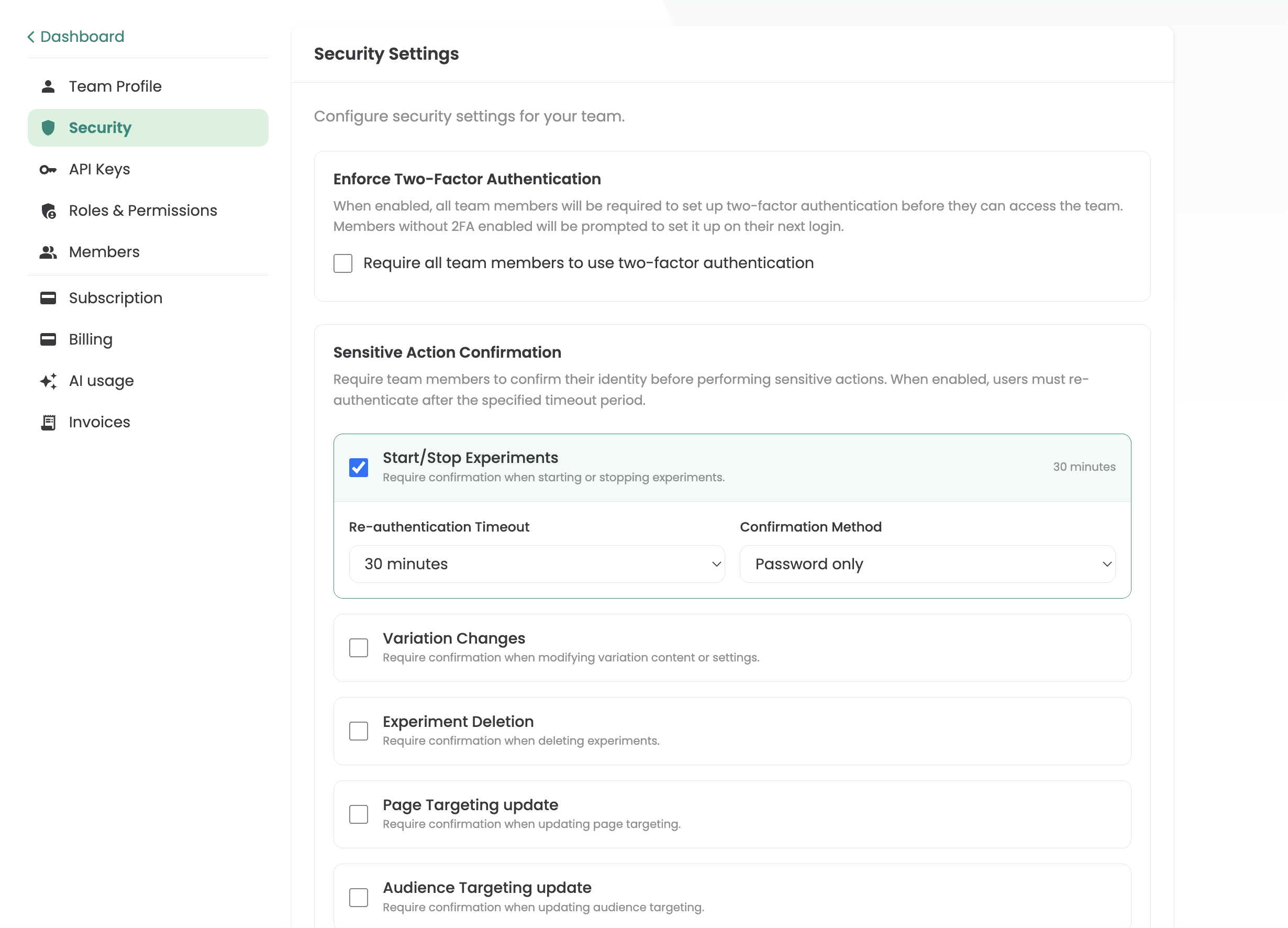
If an active session is compromised - for example through cookie hijacking - re-authentication for critical actions prevents an attacker from making far-reaching changes. This protection is called „Sensitive Action Confirmation”. It is off by default and has to be activated in the security settings. You can freely define the actions for which re-authentication should be required, for example:
- Starting and pausing experiments
- Changes to experiments
- Changes to variations
- Changes to Experiment JavaScript
- Changes to Global JavaScript
- Changes to Global Tracking JavaScript
- Archiving experiments
- Changes to page targeting
- Changes to audience targeting
You can also configure the time window in which a one-off confirmation remains valid - from a prompt for each individual action to a freely selectable interval such as 30 minutes or several hours. You can also specify whether the password, a second factor (MFA) or both are required for confirmation.