Enforce MFA for all users
In short
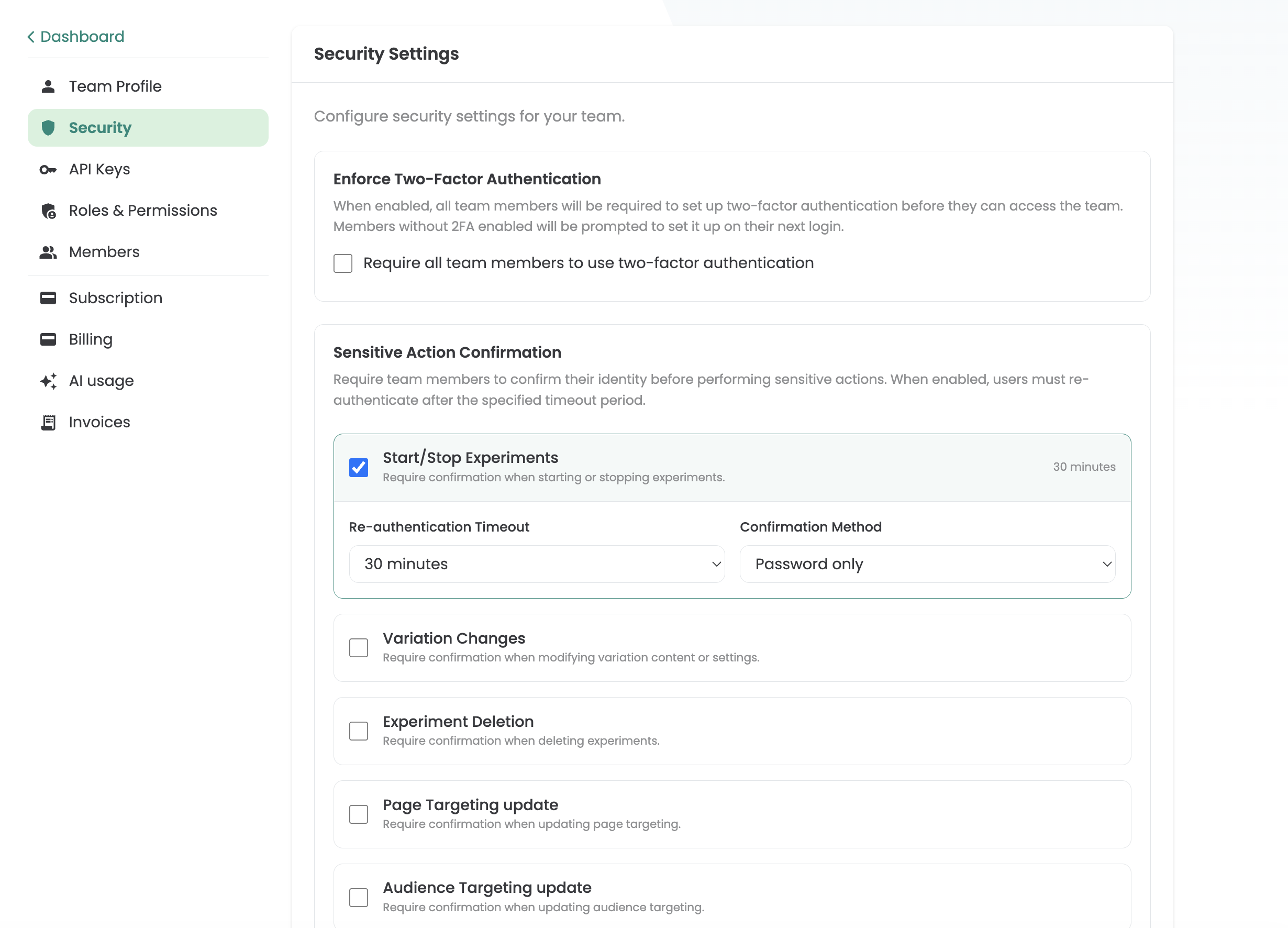
As the account owner, you can make multi-factor authentication (MFA) mandatory for all users in the account. No team member can then access the dashboard without a second factor, whether or not they have activated MFA themselves.
Who can enforce MFA?
Only the account owner can change this setting. Enforcing MFA for the whole team is available from the Pro plan. MFA for your own login is available in all plans.
Where do you find the setting?
Open the security settings of your account. The option for the 2FA enforcement is at the top of the page, above the settings for the re-authentication for sensitive actions.
What happens to users without MFA?
Users who have not set up MFA yet must set it up at their next login. After that, they are asked for the authentication code at every login.
How does each user set up MFA?
Every user activates MFA with an authenticator app. The steps are described in Multi Factor Authentication (MFA).