Server-side A/B testing
In short
With server-side A/B testing, your server decides which variation a visitor sees and renders it before the page is delivered. No client-side JavaScript changes the page, so there is no flicker. It also works where a classic client-side snippet does not: headless setups, server-side rendered applications and native mobile apps.
The experiment itself, with its traffic distribution, start and stop, is managed in the Varify dashboard as usual.
Create a server-side experiment
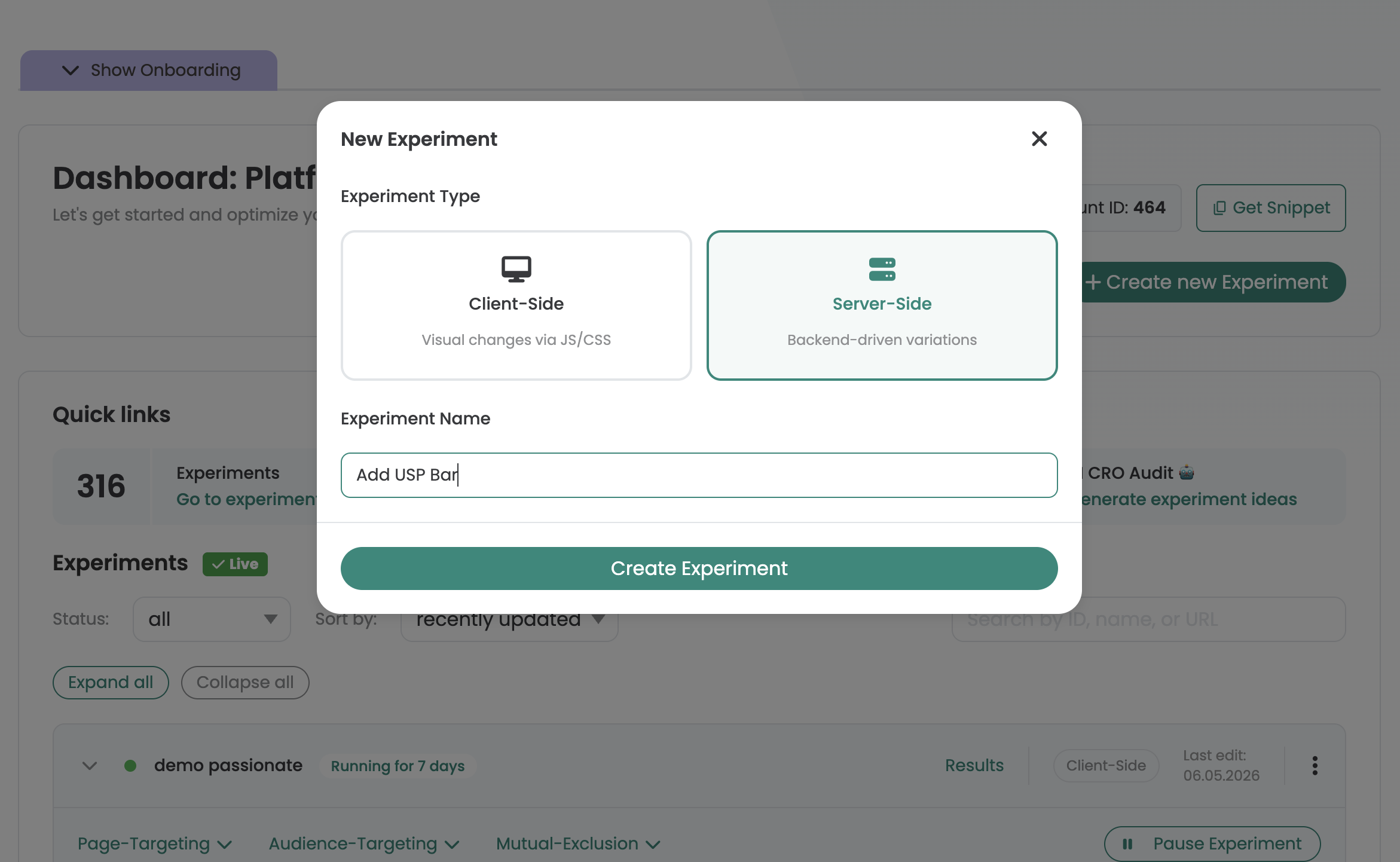
- In the Varify dashboard, click Create new Experiment.
- Under Experiment Type, select Server-Side.
- Enter an Experiment Name and click Create Experiment.
- The experiment now appears in your experiment list. There you set the traffic distribution and start the experiment.
- Note the Experiment ID and the Variation IDs of the experiment. Your code needs them to render the right variation.
Choose your integration
| Your setup | Use |
|---|---|
| Next.js with the App Router | @varify-io/nextjs |
| Another JavaScript or TypeScript backend or framework | @varify-io/core |
| Another language or framework | Request an SDK |
| An existing Delivery API integration | Delivery API (legacy). It still works unchanged. |
Installation, setup, API and options of both SDKs are documented on their npm pages.
How the SDKs work
- Your server loads the experiment configuration of your team.
- The SDK assigns the visitor to a variation locally, without a network call per visitor. The assignment is deterministic and stored in a cookie, so the visitor keeps their variation on later requests.
- Your server renders the variation.
varify.json the page receives the tracking event and delivers it to your tracking provider, while considering the visitor's consent.varify.jsmust therefore be on the page. Without tracking, the dashboard shows the experiment configuration but no evaluation data.
If the configuration cannot be loaded in time, every experiment shows the original and your pages keep working.
Another language or framework
The SDKs cover JavaScript and TypeScript today. If you work with another stack, for example:
- Python (Django, Flask, FastAPI)
- PHP (Laravel, Symfony)
- Ruby (Rails)
- Java or Kotlin (Spring)
- Go
- .NET
- iOS (Swift) or Android (Kotlin)
send a short request to [email protected]. Tell us your language and framework, and how your application renders pages. This helps us to decide which SDK to build next.
Until then, you can integrate with the Delivery API (legacy). It is a REST interface and works from any language.
Developer documentation
- Next.js SDK: @varify-io/nextjs on npm
- Core SDK: @varify-io/core on npm