Hotjar
Table of contents
In short
In Hotjar, you can filter recordings and other evaluations by event. Filter by a Varify experiment and variation to see how visitors behave in that specific variation.
How to filter Hotjar by variation
-
In Hotjar, open the ev
aluation you want to use, for example „Session Replay“.
-
Click „Add Filter“ and select „Event“.
-
Select the event for the experiment and variation you want to see. The event name has the format
Varify - Experiment ID: Variation ID.
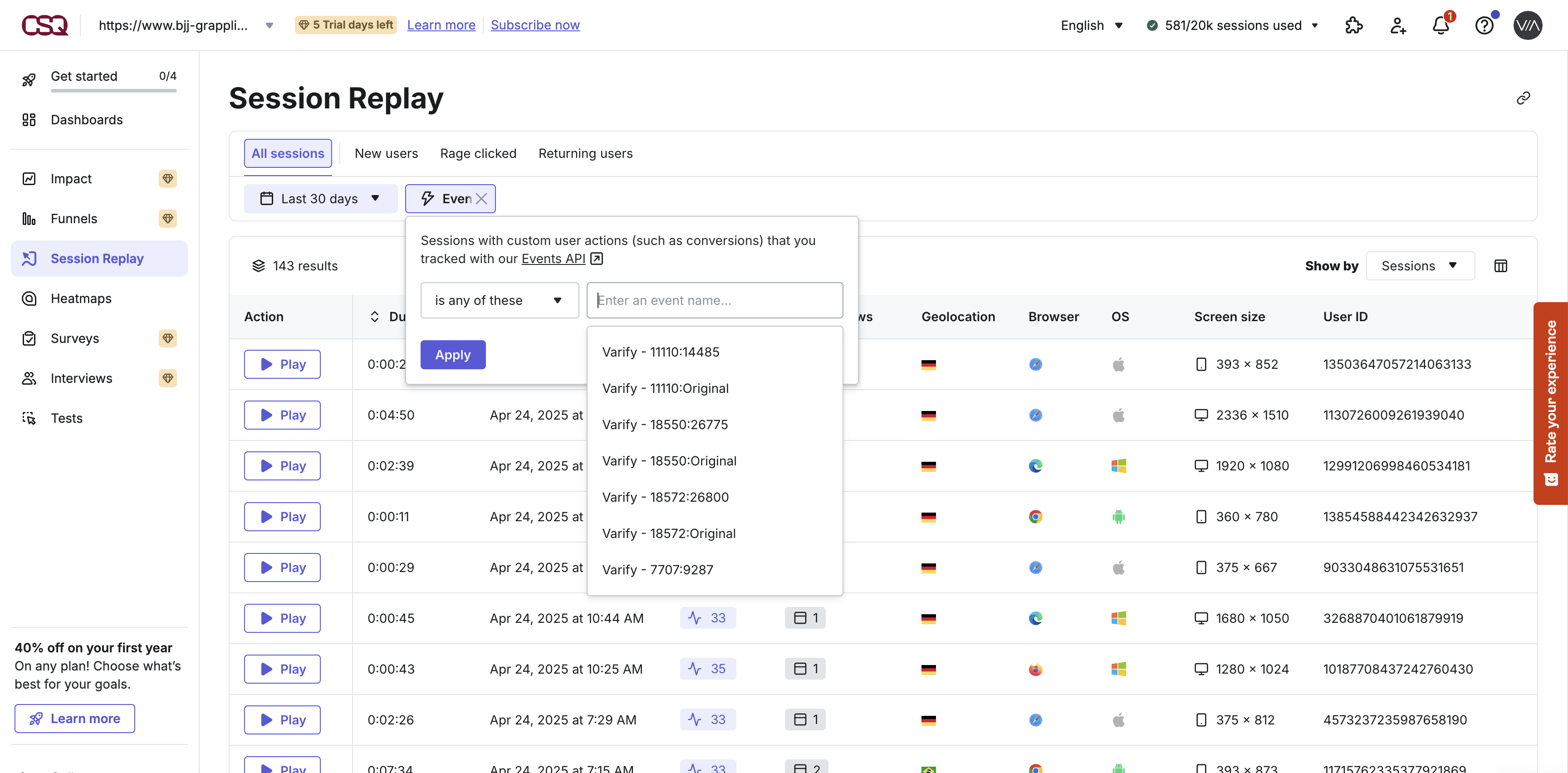
Hotjar now shows only the data in which this event occurred. To compare variations, repeat the steps with the event for another variation.