Varify Realtime Tracking
Accounts created on or after September 17, 2026, can enable „Varify Realtime Tracking“ directly under „Tracking Setup.“ Existing customers can request this feature by contacting [email protected].
In short
Enable Varify Realtime Tracking and analyze your experiments directly in Varify with no delay. A dedicated Varify tracking service measures your defined goals and displays them in Varify Reporting.
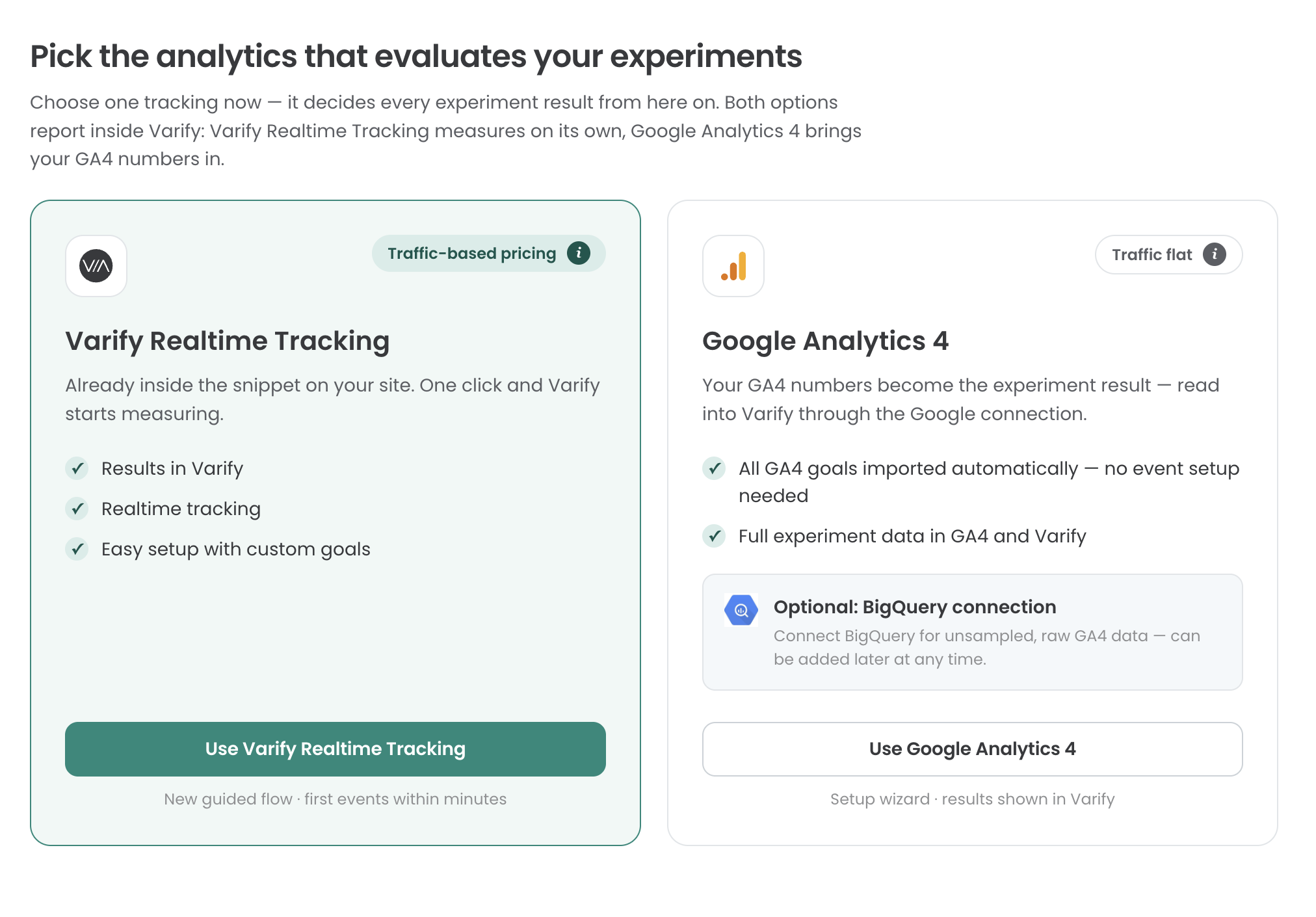
How to Use Varify Realtime Tracking
Step 1: Set up your tracking system
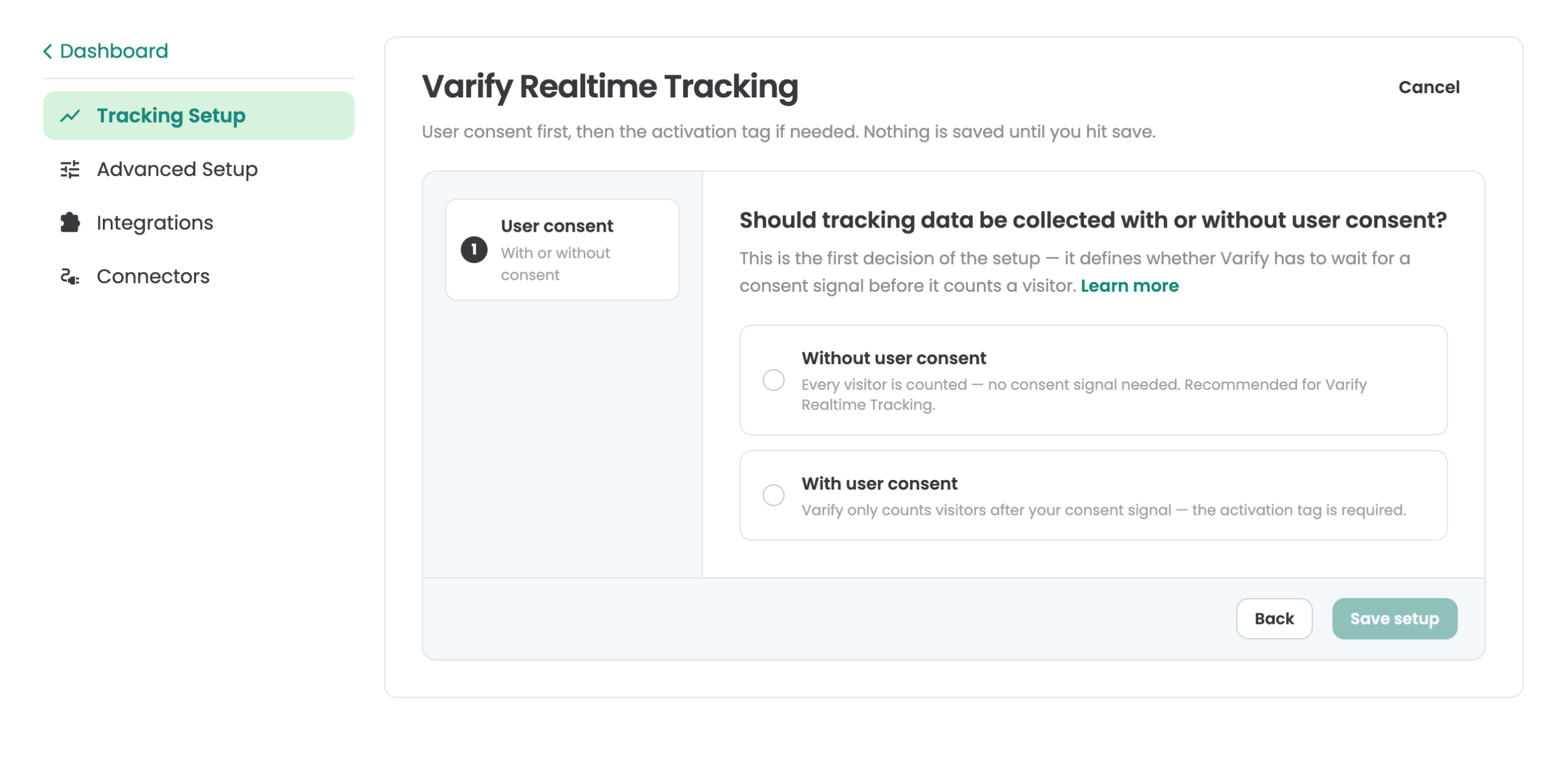
Go to „Tracking Setup“ and select „Varify Realtime Tracking.“ You can then decide whether to integrate Varify Realtime Tracking with or without „User Consent.“ This page can help you make that decision: https://varify.io/varify-tracking-gdpr-compliance/
Step 2: Enabling Varify Realtime Tracking
Integration without user consent
If you've decided to load Varify Realtime Tracking without user consent, your basic tracking setup is already in place, and you can proceed to Step 3.
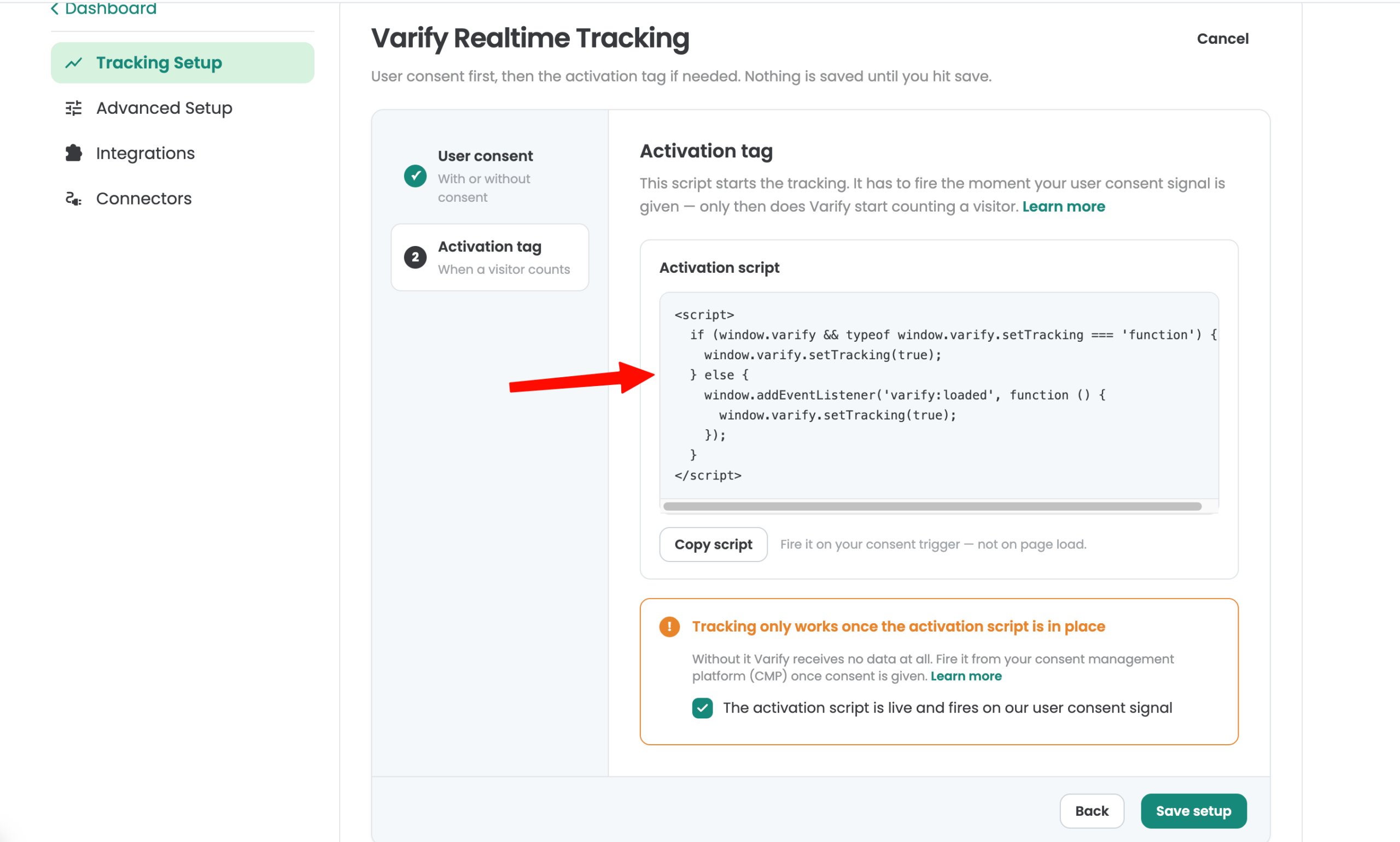
Integration with user consent
An activation script is provided for integration with user consent. Tracking is activated as soon as this script is loaded. Integrate the script according to the specifications of your consent management platform (CMP). You can also use Google Tag Manager (GTM) for integration based on page views and a valid consent signal.
Step 3: Setting Up Your Varify Goals
To analyze your experiments, create goals. You'll find the "Goals" section in the sidebar on the left.
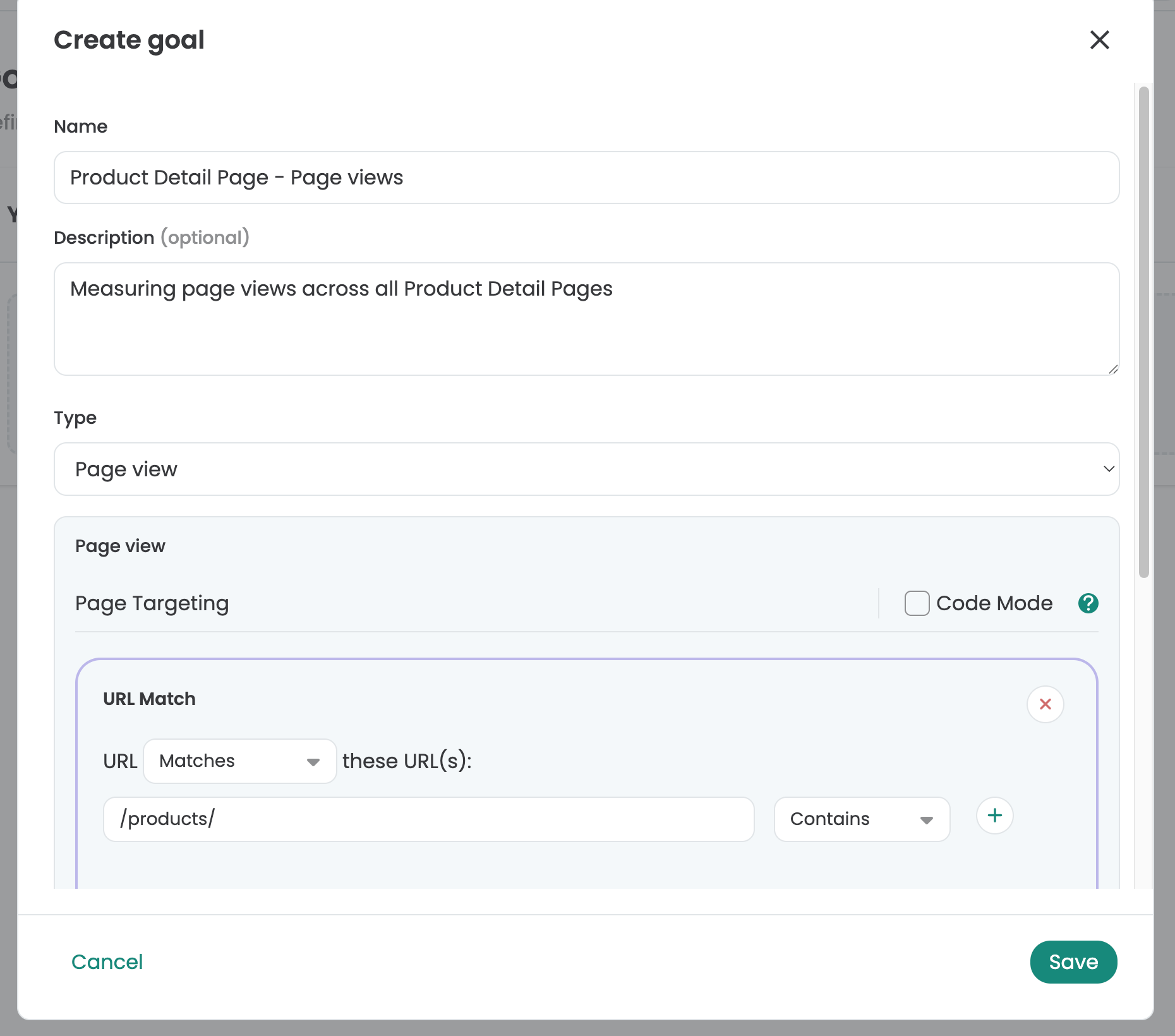
In the "Goals" section, you can choose from three types of goals: Click Goal, Page View Goal, and Custom Goal.
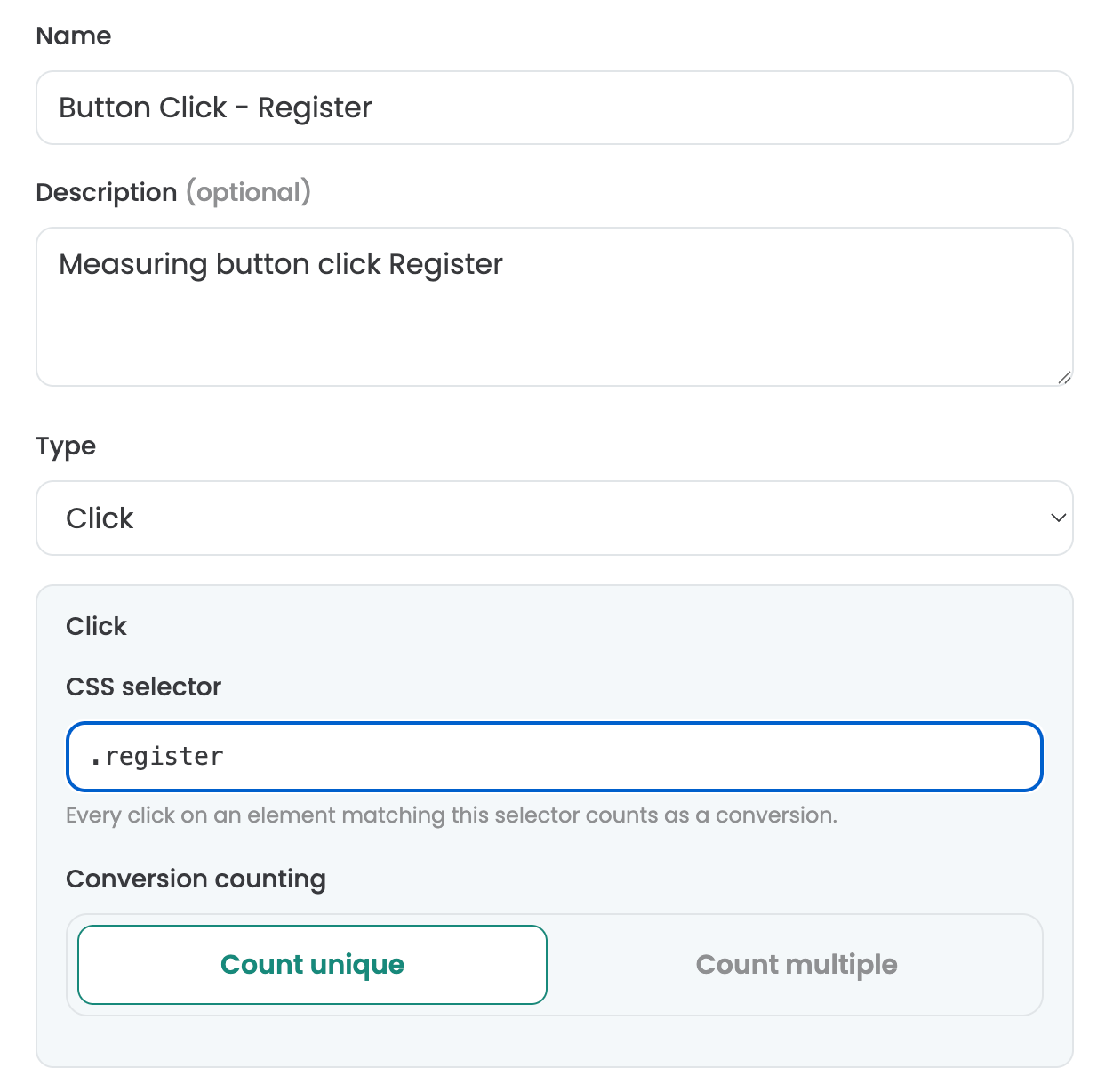
Setting Up Click Goals
With Click Goals, you can measure how often experiment participants click on elements. To do this, define a custom selector for the element. To identify a custom selector for an element, you can use Varify’s visual editor, for example. Open it and select the element you want to track. Then copy the selector and enter it in the "Selector" field under "Click Goal."
Setting Up Page View Goals
With Page View Goals, you can measure how often your experiment participants view specific pages or page types. To do this, you can simply define your own custom rules to track the page views that meet your criteria.
Setting Up Custom Goals
You can use Custom Goals to create custom goals. For example, this might be when you want to measure the revenue value of an order. Custom Goals are triggered via JavaScript in your experiment.
Conversion Counting
With this setting, you can specify whether a goal should be tracked once or multiple times. By default, in A/B testing, each goal is tracked only once, since you’re usually only interested in whether a user achieved the goal at all. Multiple tracking, however, can be useful for revenue goals: In this case, a user’s order value can be accumulated across multiple sessions.
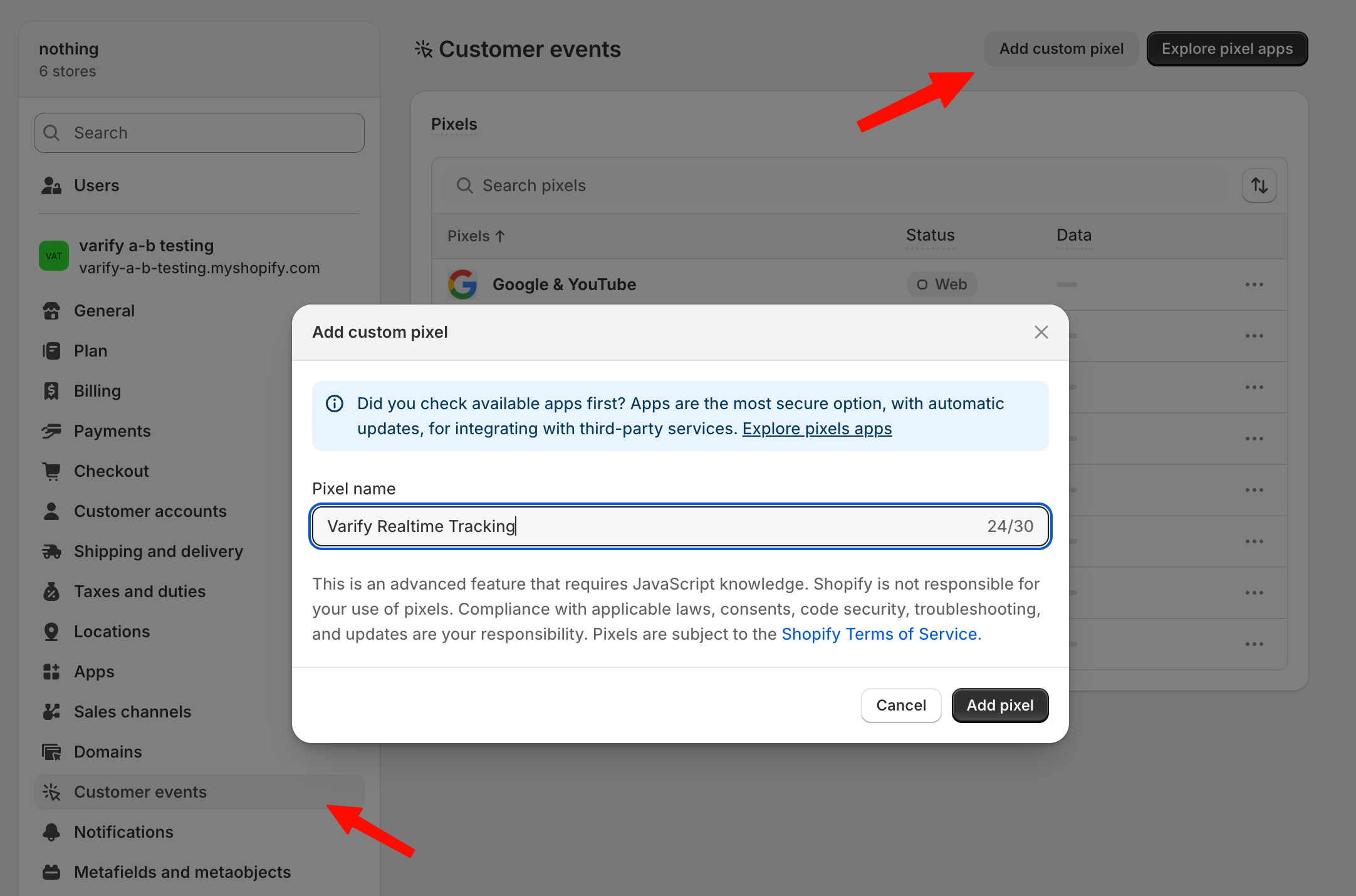
Tracking Shopify Checkout Goals
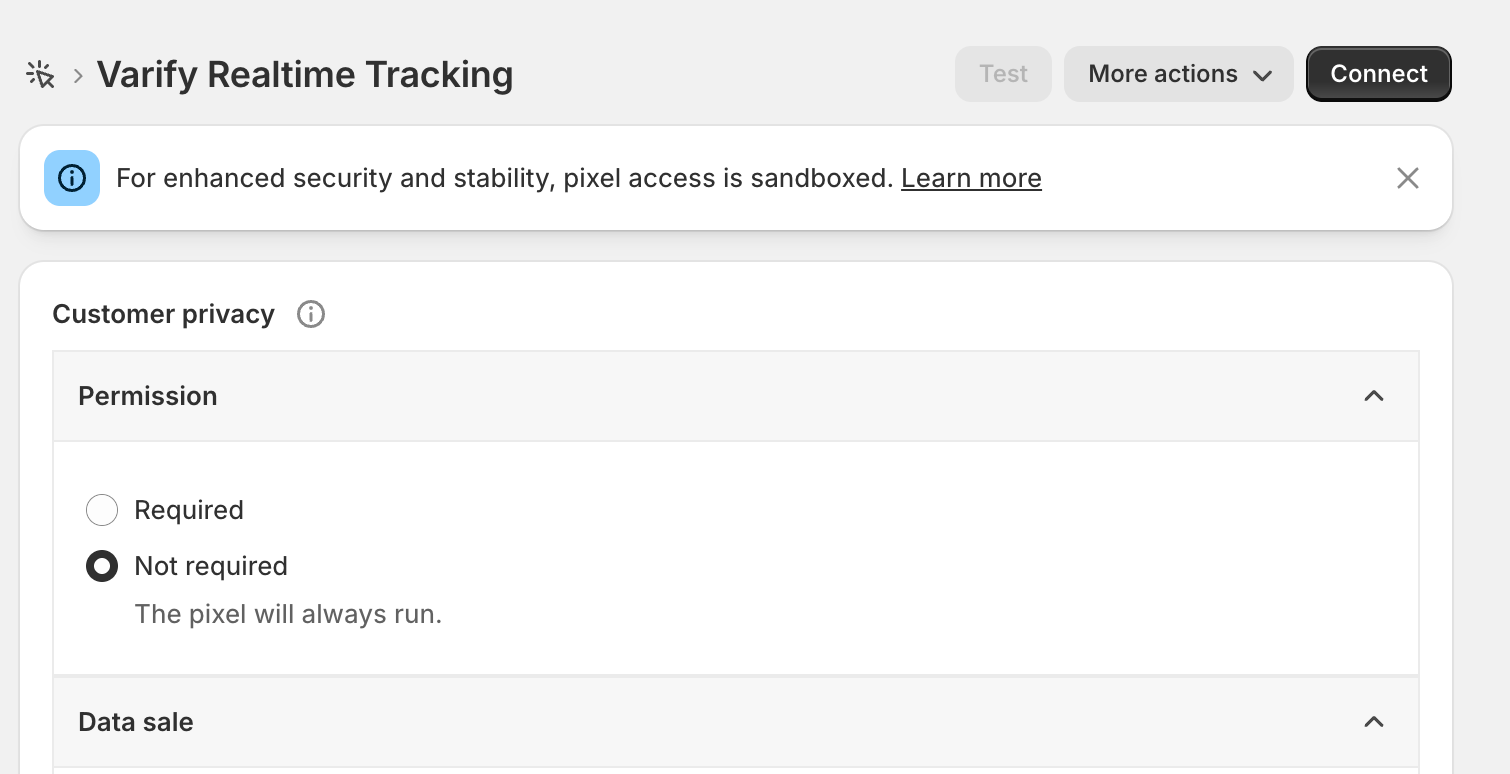
Shopify event goals such as „Purchase“ or „Start Checkout“ cannot be tracked directly through your website. Starting in 2025, Shopify has made it mandatory that these can only be tracked through the custom pixel on your website. To track these goals, go to „Settings > Customer Events“ and click the „Add Custom Pixel“ button. Set the pixel name to „Varify Realtime Tracking“ and click “Add Pixel.”
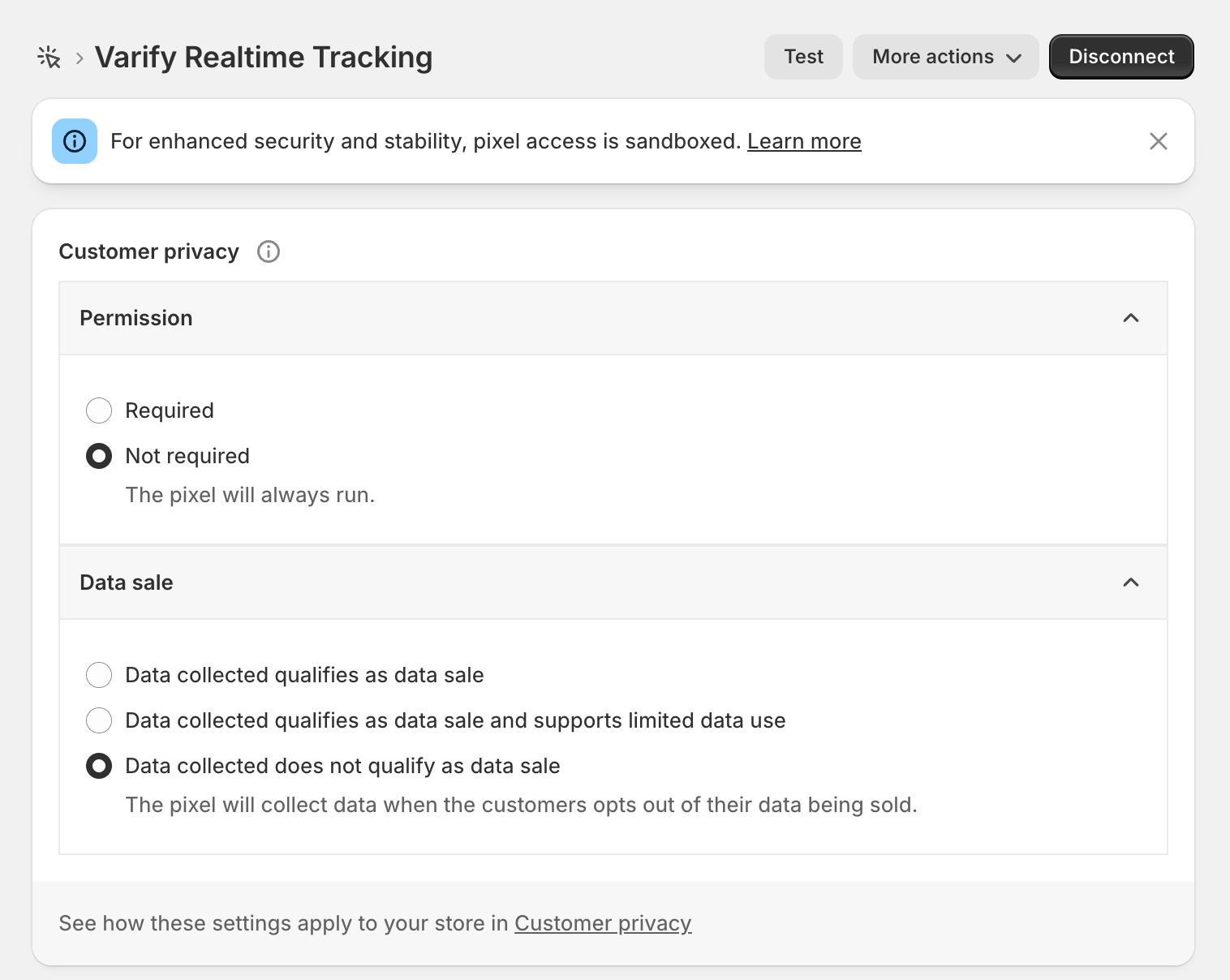
After you've created the pixel, first open the „Customer Privacy“ section and set "Data Sale" to "Data collected does not qualify as a data sale." Varify does not sell data and tracks only aggregated values for your experiment analyses.
For „Permission,“ you should select „Not required“ if you want to track without user consent—as specified earlier in the tracking setup. If, on the other hand, you're tracking with user consent, you can leave the setting as "Required."
Next, copy the code highlighted below this paragraph and paste it under "Code."
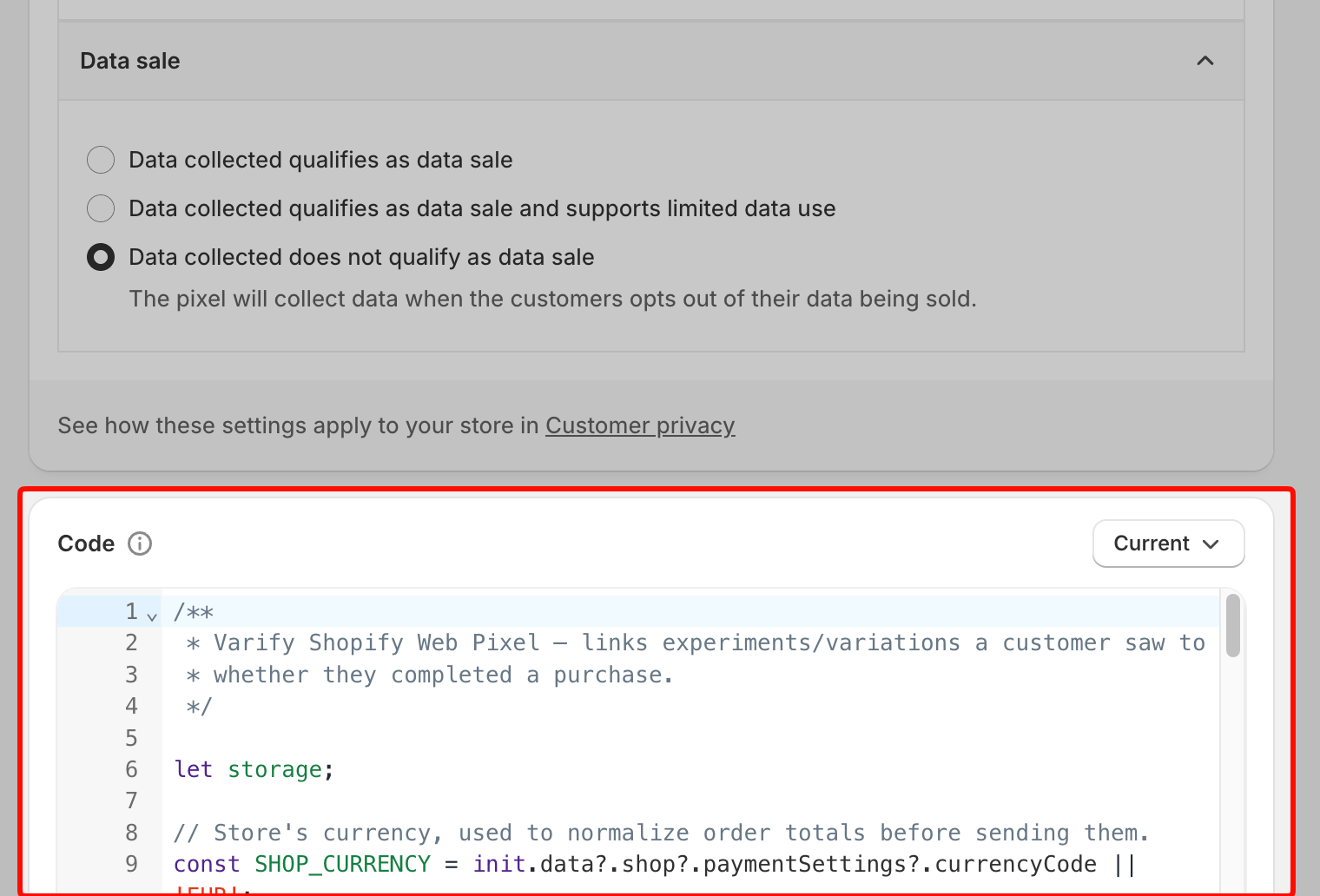
/**
 * Varify Shopify Web Pixel — links experiments/variations a customer saw to
 * whether they completed a purchase.
 */

let storage;

// Store's currency, used to normalize order totals before sending them.
const SHOP_CURRENCY = init.data?.shop?.paymentSettings?.currencyCode || 'EUR';

// Free FX API, used only when an order's currency differs from the store's.
const FX_API = 'https://api.frankfurter.dev/v1/latest';
const FX_TTL_MS = 6 * 60 * 60 * 1000;
const FX_TIMEOUT_MS = 2000;

const VARIFY_INGESTION_ENDPOINT = 'https://w.varify.io/events';

// One id per pixel session, reused for every event this pixel sends.
const pixelSessionId = crypto.randomUUID();

// Reads this pixel's saved data (experiments seen, anonymous id, etc.),
// cached in-memory after the first read.
async function getVarifyData() {
  if (storage) {
    return storage;
  }
  storage = (async () => {
    try {
      const raw = await browser.localStorage.getItem('varify-data');
      return raw ? JSON.parse(raw) : {};
    } catch (error) {
      // Don't cache a broken read — retry from scratch next time.
      storage = undefined;
      console.error('Varify: error reading local storage', error);
      return {};
    }
  })();
  return storage;
}

// Units of `currency` per 1 unit of the store's currency, or null if
// unavailable — callers should skip sending rather than guess a rate.
async function getFxRate(currency) {
  const cacheKey = `varify-fx-${SHOP_CURRENCY}-${currency}`;

  try {
    const cached = await browser.localStorage.getItem(cacheKey);
    if (cached) {
      const { rate, ts } = JSON.parse(cached);
      if (rate && ts && Date.now() - ts < FX_TTL_MS) {
        return rate;
      }
    }
  } catch (error) {
    // Fall through and fetch fresh below.
  }

  try {
    const url = `${FX_API}?from=${encodeURIComponent(SHOP_CURRENCY)}&to=${encodeURIComponent(currency)}`;

    let res;
    if (typeof AbortController === 'function') {
      const controller = new AbortController();
      const timer = setTimeout(() => controller.abort(), FX_TIMEOUT_MS);
      try {
        res = await fetch(url, { signal: controller.signal });
      } finally {
        clearTimeout(timer);
      }
    } else {
      res = await fetch(url);
    }

    if (!res.ok) {
      console.warn(`Varify: FX API returned ${res.status} for ${currency}.`);
      return null;
    }

    const json = await res.json();
    const rate = json?.rates?.[currency];

    if (typeof rate !== 'number' || !isFinite(rate) || rate <= 0) {
      console.warn(`Varify: FX API gave no usable rate for ${currency}.`, json);
      return null;
    }

    await browser.localStorage.setItem(
      cacheKey,
      JSON.stringify({ rate, ts: Date.now() }),
    );
    return rate;
  } catch (error) {
    console.warn(`Varify: FX lookup failed for ${currency}.`, error);
    return null;
  }
}

// Varify's endpoint only accepts flat text/number values, so a list of
// experiments becomes two comma-separated strings (ids and variation ids).
function flattenExperiments(entries) {
  return {
    experiment_ids: entries.map((entry) => entry.experimentId).join(','),
    variation_ids: entries
      .map((entry) =>
        entry.variationId === null ? 'original' : entry.variationId,
      )
      .join(','),
  };
}

// Edge's identifier also contains "Chrome/", so it must be checked first.
function detectBrowser(userAgent) {
  if (userAgent.includes('Firefox/')) return 'Firefox';
  if (userAgent.includes('Edg/')) return 'Edge';
  if (userAgent.includes('Chrome/')) return 'Chrome';
  if (userAgent.includes('Safari/')) return 'Safari';
  return 'Unknown';
}

function detectDevice(userAgent) {
  if (/Tablet|iPad/i.test(userAgent)) return 'tablet';
  if (/Mobi|Android/i.test(userAgent)) return 'mobile';
  return 'desktop';
}

function detectOs(userAgent) {
  if (/iPhone|iPad|iPod/i.test(userAgent)) return 'iOS';
  if (userAgent.includes('Android')) return 'Android';
  if (userAgent.includes('Win')) return 'Windows';
  if (userAgent.includes('Mac')) return 'macOS';
  if (userAgent.includes('Linux')) return 'Linux';
  return 'Unknown';
}

// Browser timezone, e.g. "Europe/Berlin" — not GPS or IP-based location.
function detectLocation() {
  try {
    return Intl.DateTimeFormat().resolvedOptions().timeZone || undefined;
  } catch {
    return undefined;
  }
}

// Non-identifying browser/page details, added to every event. The pixel
// sandbox may not expose all of these — each lookup is best-effort and
// simply omitted if unavailable.
function collectBrowserInfo() {
  const info = {};

  try {
    const userAgent =
      typeof navigator !== 'undefined' ? navigator.userAgent : undefined;
    if (typeof userAgent === 'string') {
      info.userAgent = userAgent;
      info.browser = detectBrowser(userAgent);
      info.device = detectDevice(userAgent);
      info.os = detectOs(userAgent);
    }
  } catch (error) {
    // Not available in this environment.
  }

  try {
    if (typeof window !== 'undefined' && window.location) {
      info.path = window.location.pathname;
      info.domain = window.location.hostname;
    }
  } catch (error) {
    // Not available in this environment.
  }

  const location = detectLocation();
  if (location) {
    info.location = location;
  }

  return info;
}

// Sends one event to Varify. Never throws — failures are logged and
// swallowed so the pixel/checkout is never affected. Falls back to reading
// the anonymous id from local storage if one wasn't passed in, and returns
// whichever id was actually used so the caller can persist it.
async function sendVarifyEvent(name, teamSqid, anonymousId, properties) {
  const anonymousIdWithFallback =
    anonymousId || localStorage.getItem('varify_anonymous_id');

  if (!teamSqid || !anonymousIdWithFallback) {
    console.warn(
      `Varify: skipping "${name}" event — missing teamSqid or anonymousId.`,
      'Team Sqid',
      teamSqid,
      'Anonymous ID',
      anonymousIdWithFallback,
    );
    return anonymousIdWithFallback;
  }

  try {
    await fetch(VARIFY_INGESTION_ENDPOINT, {
      method: 'POST',
      keepalive: true,
      headers: {
        'Content-Type': 'application/json',
      },
      body: JSON.stringify({
        events: [
          {
            id: crypto.randomUUID(),
            name,
            teamId: String(teamSqid),
            anonymousId: anonymousIdWithFallback,
            sessionId: pixelSessionId,
            properties: { ...collectBrowserInfo(), ...properties },
          },
        ],
      }),
    });
  } catch (error) {
    console.error(`Varify: error sending "${name}" event`, error);
  }

  return anonymousIdWithFallback;
}

// Fired by Varify's tracking script when a customer is shown an experiment.
// Remembers it locally so it can be attached to a later checkout event.
analytics.subscribe('varify', async (event) => {
  const {
    varify_experimentId,
    varify_variationId,
    varify_anonymousId,
    teamId,
    teamSqid,
    storageType = 'localStorage',
  } = event.customData || {};

  if (!varify_experimentId || !teamId || !teamSqid) {
    console.warn('Varify: event missing experimentId or teamId. Event:', event);
    return;
  }

  const validVariationId =
    varify_variationId !== undefined ? varify_variationId : null;

  const existingData = await getVarifyData();

  if (!existingData.data) {
    existingData.data = [];
  }

  const experimentEntry = {
    experimentId: varify_experimentId,
    variationId: validVariationId,
    timestamp: Date.now(),
  };

  existingData.data = existingData.data.filter(
    (entry) => entry.experimentId !== varify_experimentId,
  );

  existingData.data.push(experimentEntry);
  existingData.teamId = teamId;
  existingData.teamSqid = teamSqid;
  existingData.storageType = storageType;

  // Only present once Varify's tracking script has finished loading —
  // don't overwrite a previously-saved id with nothing.
  if (varify_anonymousId) {
    existingData.anonymousId = varify_anonymousId;
  }

  await browser.localStorage.setItem(
    'varify-data',
    JSON.stringify(existingData),
  );
});

// How long an experiment exposure counts toward a later purchase.
const WINDOW_MS = 28 * 24 * 60 * 60 * 1000;

const pruneEntries = (entries) => {
  const threshold = Date.now() - WINDOW_MS;
  return (entries || []).filter(
    (entry) =>
      entry.timestamp && entry.experimentId && entry.timestamp >= threshold,
  );
};

analytics.subscribe('checkout_started', async (event) => {
  const existingData = await getVarifyData();
  if (!existingData.data || existingData.data.length === 0) {
    return;
  }

  existingData.data = pruneEntries(existingData.data);

  await browser.localStorage.setItem(
    'varify-data',
    JSON.stringify(existingData),
  );

  if (existingData.data.length > 0) {
    const resolvedAnonymousId = await sendVarifyEvent(
      'checkout_started',
      existingData.teamSqid,
      existingData.anonymousId,
      flattenExperiments(existingData.data),
    );

    // Persist the fallback id, if used, so it doesn't need re-deriving.
    if (
      resolvedAnonymousId &&
      resolvedAnonymousId !== existingData.anonymousId
    ) {
      existingData.anonymousId = resolvedAnonymousId;
      await browser.localStorage.setItem(
        'varify-data',
        JSON.stringify(existingData),
      );
    }
  }

  // Warm the rate while the customer is still typing.
  const currency = event.data?.checkout?.currencyCode;
  if (currency && currency !== SHOP_CURRENCY) {
    getFxRate(currency);
  }
});

analytics.subscribe('checkout_completed', async (event) => {
  const orderId = event.data?.checkout?.order?.id;
  const money = event.data?.checkout?.subtotalPrice;
  let orderRevenue = money?.amount;
  const orderCurrency = money?.currencyCode;

  // 0 is a valid revenue (100% discount) and must not count as missing.
  if (!orderId || orderRevenue == null || !orderCurrency) {
    console.warn(
      'Varify: checkout_completed missing orderId, revenue or currency.',
    );
    return;
  }

  // subtotalPrice is presentment currency and the event carries no rate or
  // shop-money amount. Convert to shop currency here, or skip.
  if (orderCurrency !== SHOP_CURRENCY) {
    const rate = await getFxRate(orderCurrency);
    if (!rate) {
      console.warn(
        `Varify: skipping order ${orderId} — ${orderRevenue} ${orderCurrency}, no FX rate available.`,
      );
      return;
    }
    const converted = +(orderRevenue / rate).toFixed(2);
    console.info(
      `Varify: converted order ${orderId} — ${orderRevenue} ${orderCurrency} @ ${rate} -> ${converted} ${SHOP_CURRENCY}.`,
    );
    orderRevenue = converted;
  }

  const parsedData = await getVarifyData();
  if (!parsedData.data || parsedData.data.length === 0 || !parsedData.teamId) {
    console.warn('Varify: no valid data in local storage.');
    return;
  }

  // The order-status page refires checkout_completed on every visit.
  if (!Array.isArray(parsedData.sentOrders)) {
    parsedData.sentOrders = [];
  }
  if (parsedData.sentOrders.includes(orderId)) {
    return;
  }

  parsedData.data = pruneEntries(parsedData.data);
  if (parsedData.data.length === 0) {
    return;
  }

  const lineItems = event.data?.checkout?.lineItems;
  let cartProducts = [];

  if (lineItems && Array.isArray(lineItems)) {
    cartProducts = lineItems
      .map((item) => {
        const productId = item.variant?.product?.id?.split('/').pop();
        const variantId = item.variant?.id?.split('/').pop();

        if (productId && variantId) {
          return {
            productId,
            variantId,
          };
        }
        return null;
      })
      .filter((p) => p !== null);
  }

  const resolvedAnonymousId = await sendVarifyEvent(
    'checkout_completed',
    parsedData.teamSqid,
    parsedData.anonymousId,
    {
      ...flattenExperiments(parsedData.data),
      order_id: String(orderId),
      value: orderRevenue,
      currency: SHOP_CURRENCY,
      cart_product_ids: cartProducts.map((p) => p.productId).join(','),
      cart_variant_ids: cartProducts.map((p) => p.variantId).join(','),
    },
  );

  // Persist the fallback id, if used, so it doesn't need re-deriving.
  if (resolvedAnonymousId) {
    parsedData.anonymousId = resolvedAnonymousId;
  }

  parsedData.sentOrders = [...parsedData.sentOrders, orderId].slice(-50);
  await browser.localStorage.setItem('varify-data', JSON.stringify(parsedData));
});
After you've added the code, click "Connect" in the menu at the top. Your Shopify tracking is now set up.