The BigQuery SQL queries Varify runs
Table of contents
In short
This article shows you the SQL queries that Varify executes in BigQuery to retrieve the corresponding experiment data for reporting.
important
The project is created for the Google account that was connected to the Varify tracking setup.
Where can I find these queries in BigQuery?
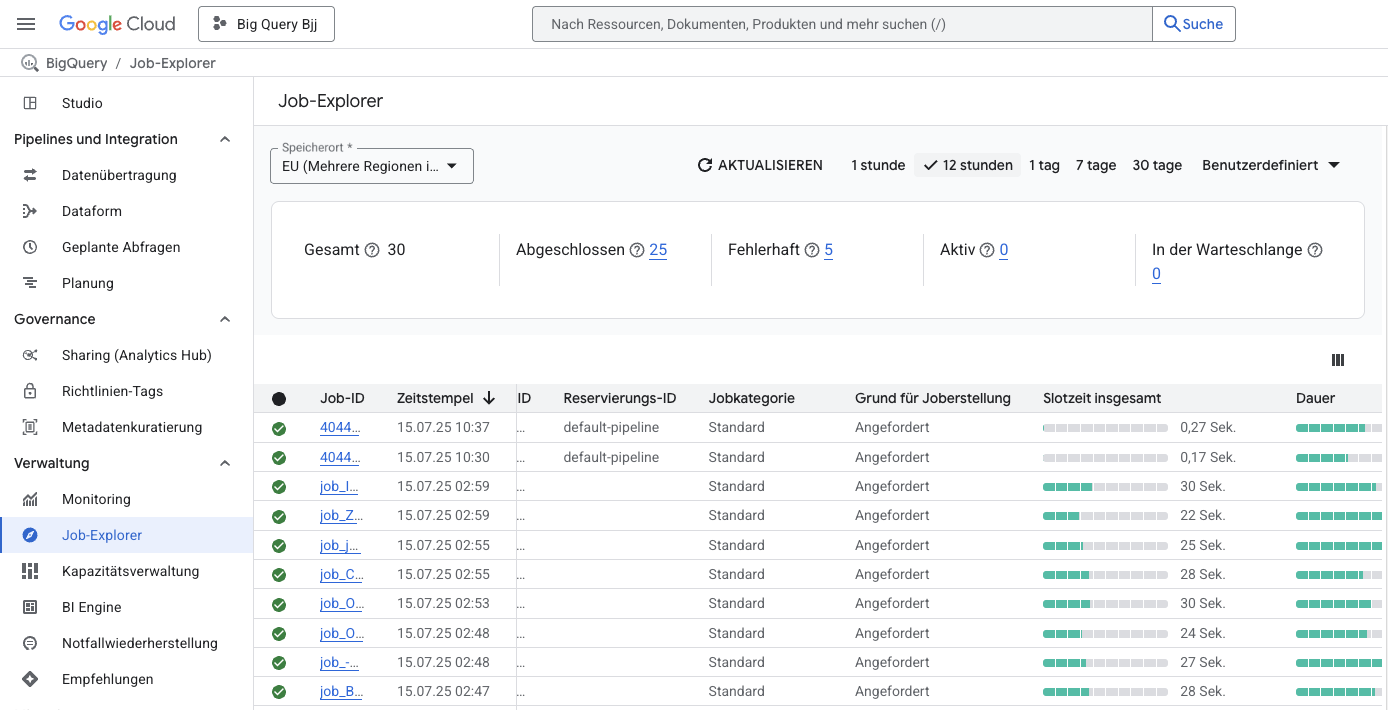
All BigQuery queries (also called jobs) can be viewed in the job explorer of your BigQuery project.
To do this, go to "Job Explorer" and select the storage location of your BigQuery project. To the right, you can set the time period for which you want the jobs to be displayed.
The list below will then show you all the jobs that have been executed.
Click on the job ID to open a window with all the job information. Click on "Actions" and "Open job in workspace" to open the SQL query in your workspace again.